

SolarEdge Can Now Be Integrated into IAMMETER-Cloud via Virtual Meter
SolarEdge systems can now be integrated into IAMMETER-Cloud through a Virtual Meter.
By using the Cloud Bridge mode, IAMMETER-Cloud retrieves energy data directly from the SolarEdge platform via the SolarEdge API, without requiring any physical IAMMETER hardware installed on site.
What Is a Virtual Meter?
A Virtual Meter is a logical meter in IAMMETER-Cloud that represents data sourced from third-party platforms rather than from a physical IAMMETER device.
You can learn more about Virtual Meters here: 👉https://www.iammeter.com/products/virtual-meter
Using a Virtual Meter allows IAMMETER-Cloud to unify data from different energy systems (such as SolarEdge) into the same monitoring, analysis, and reporting framework.
Integration Architecture
The integration uses the Cloud Bridge mode:
IAMMETER-Cloud connects to the SolarEdge platform
Data is fetched via the SolarEdge API
Authentication is performed using an API Key
Retrieved data is mapped to a Virtual Meter in IAMMETER-Cloud
This approach is ideal for users who already have SolarEdge monitoring but want to take advantage of IAMMETER-Cloud’s advanced energy analysis and visualization features.
Configuration Steps
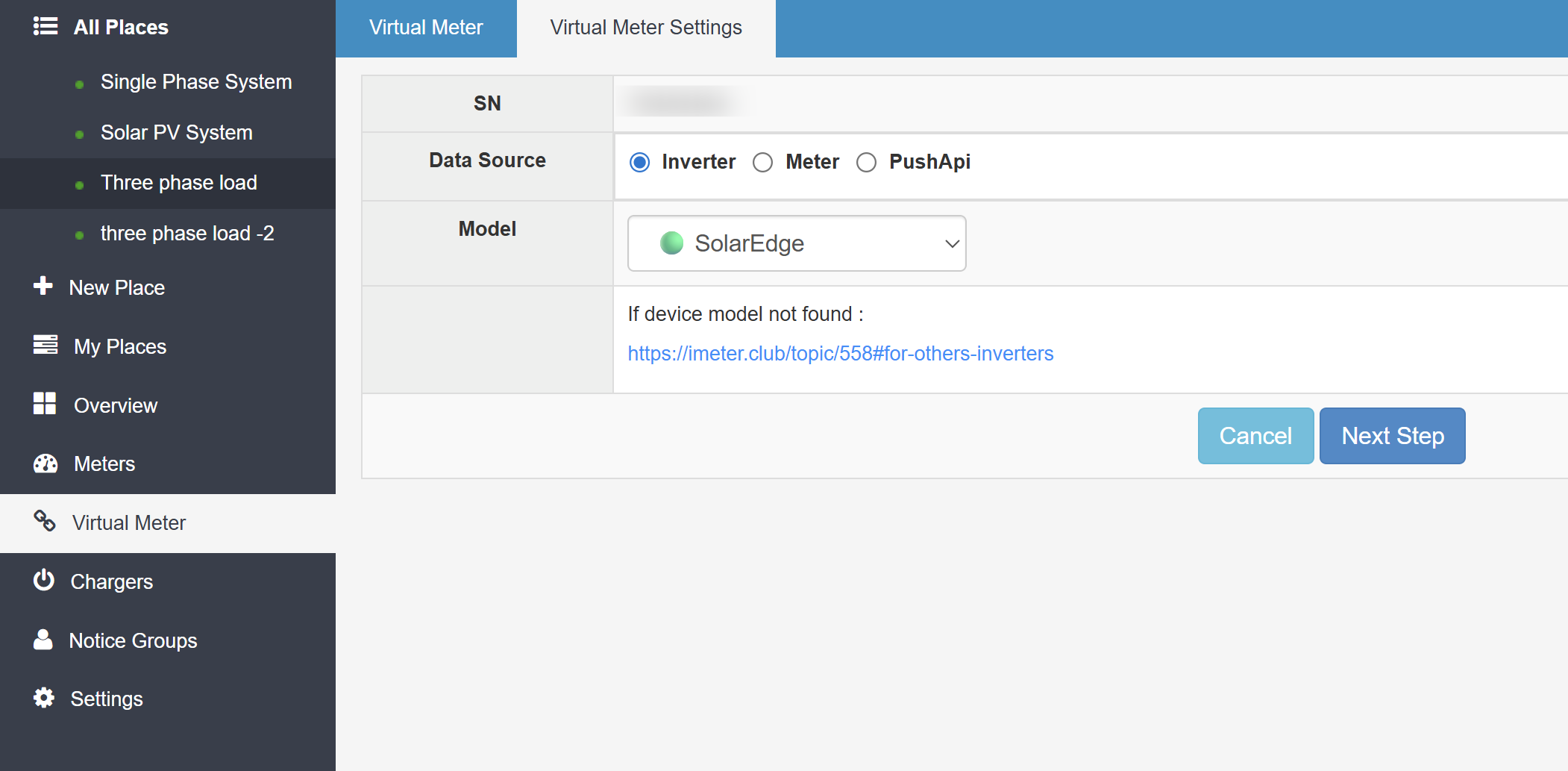
Step 1: Create a Virtual Meter and Select Cloud Bridge Mode
In IAMMETER-Cloud, create a new Virtual Meter and choose Cloud Bridge as the data source.
Step 2: Configure SolarEdge API Access
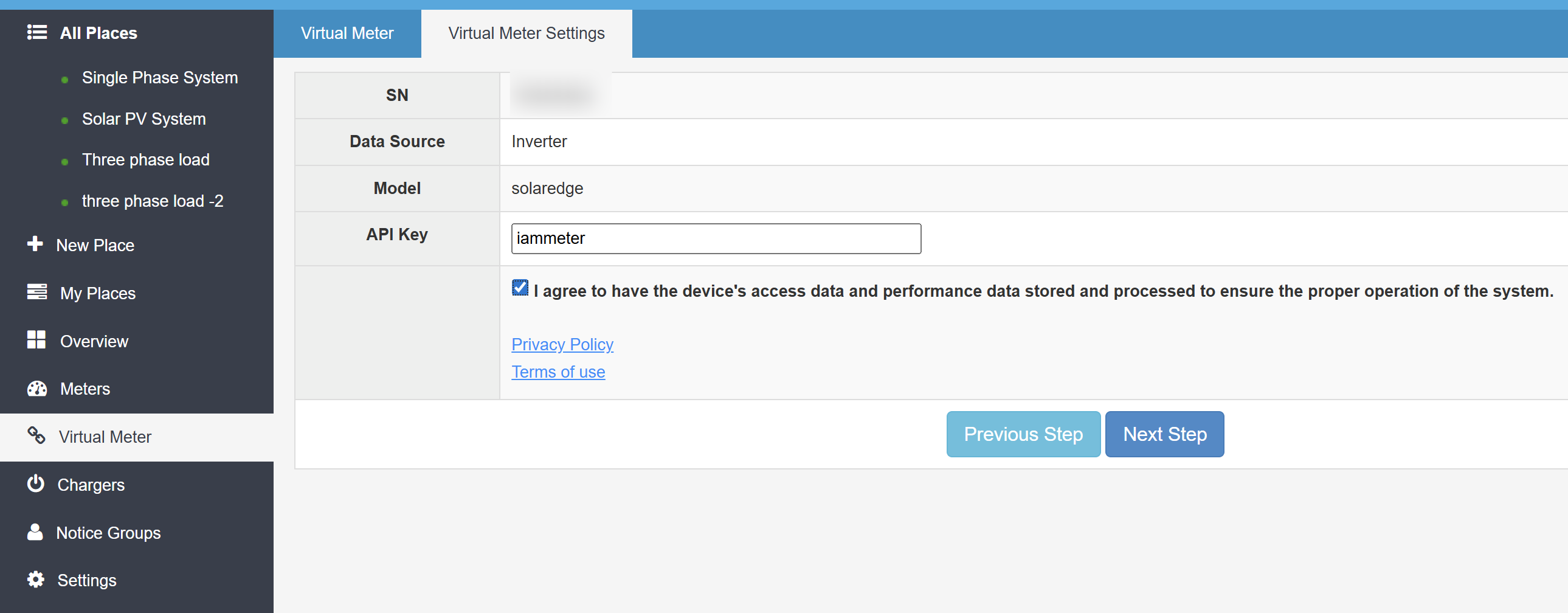
Enter your SolarEdge Site ID
Provide the SolarEdge API Key
Complete the binding between SolarEdge and the Virtual Meter
Once configured, IAMMETER-Cloud will periodically pull energy data from SolarEdge automatically.
Benefits of This Integration
✅ No additional hardware required
✅ Seamless SolarEdge data integration
✅ Unified monitoring with other IAMMETER devices
✅ Access to IAMMETER-Cloud analytics, dashboards, and reports