
Cannot add new 1p iammeter to my Home Assistant Iammeter_http integration
I have been using 8 different iammeters with Home Assistant for the last 4 years or so. Two of them were added a year ago. I have been using the Iammeter_http HA integration. I always install the meters, connect them to my WiFi, give them static ip addresses, then just select the "Add Entry" button on the HA integration where it prompts me to give the meter a name and supply its ip address.
I just bought and tried to add a 9th meter and HA just complains. I have tried everything I know (restart HA, reboot HA, re-installed the Iammeter_http integration, etc.) and nothing helps. I do have the new meter on my WiFi and connected to my iammeter account -- so I can get to but I cannot add it to Home Assistant. Any ideas?
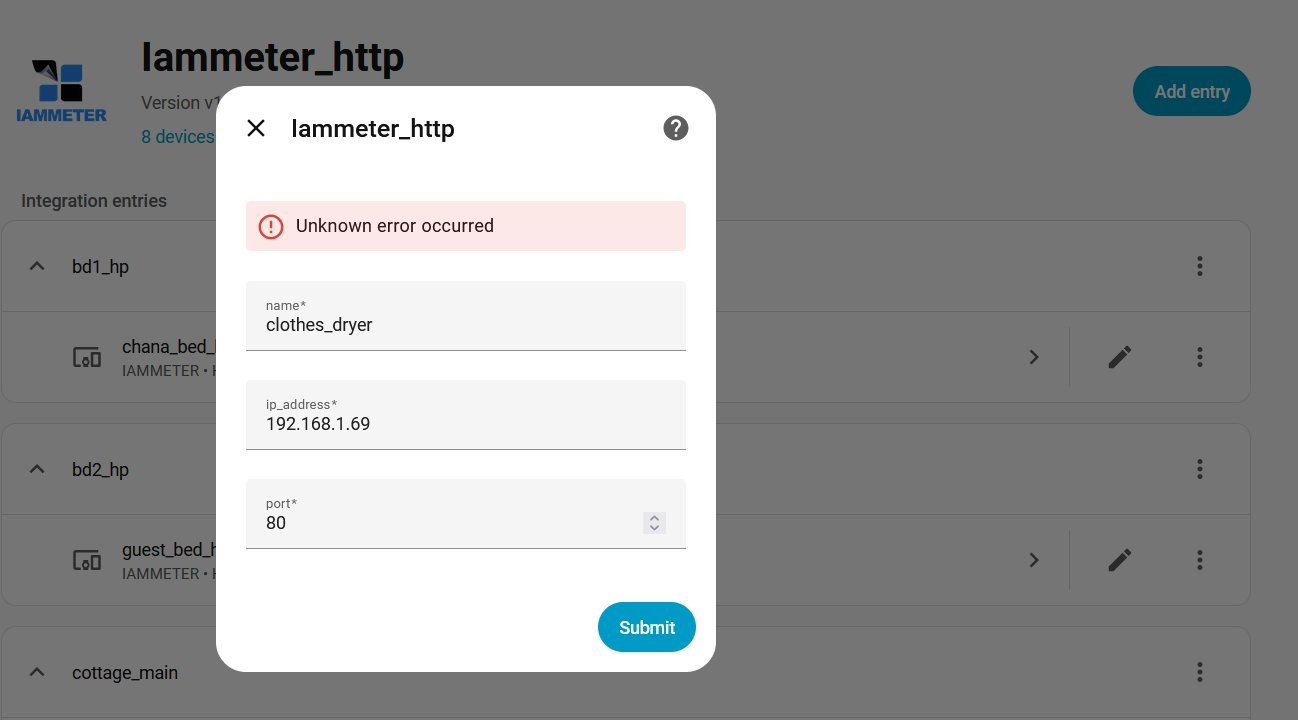

This is what I just added; the version of HA is...
- Installation methodHome Assistant OS
- Core2026.1.3
- Supervisor2026.01.1
- Operating System17.0
- Frontend20260107.2
The version of iammeter_http is v1.0.18.
Could you please send me your version?
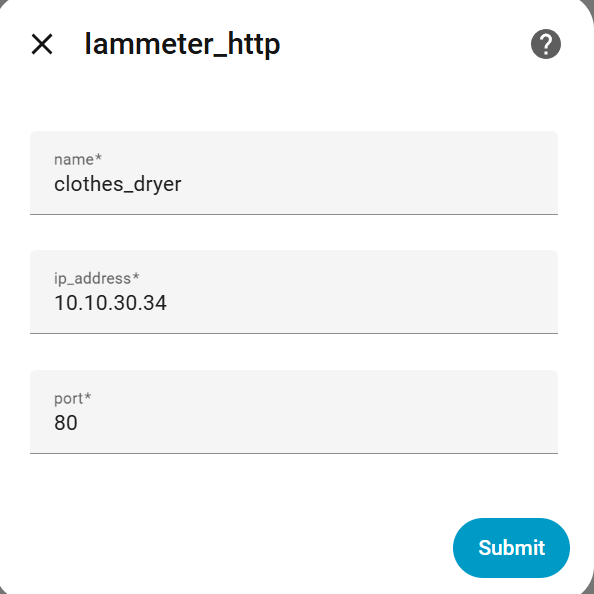
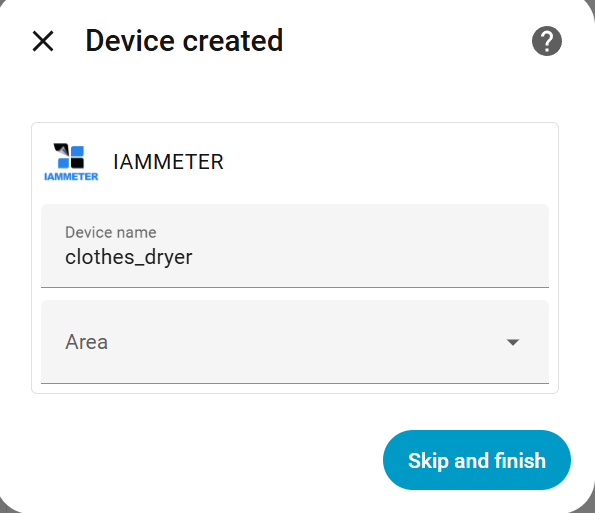
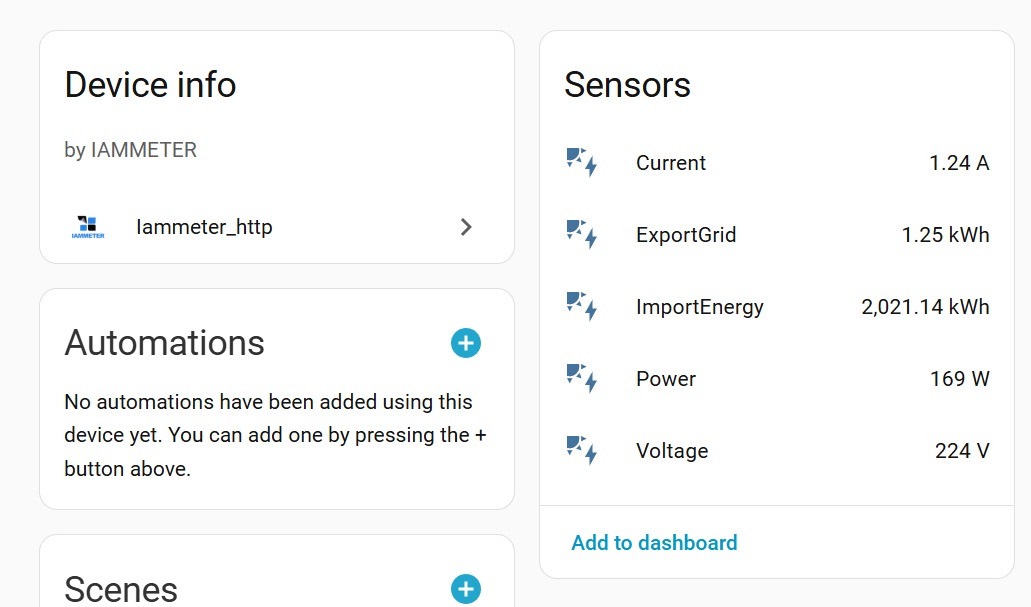
Is it okay to use a name other than clothes_dryer? Also, could you please provide the firmware version for this WEM3080 meter?
If you have Terminal installed in your HA, run `curl http://192.168.1.69/monitorjson` in your HA and see what it returns.
The integration is Iammeter_htpp v1.0.18.
When I first experienced this problem the HA core was a late 2025 version. I updated to 2026.1.3. The problem remains with either version.
Supervisor is 2026.01.1
Operating System is 17.0
Frontend is 20260107.2
I am confused by the web page for the new iammeter in that there is no page where I could update the firmware. This is the case for my three newest iammeters -- the other six have a third page where I can update the firmware (but never have).
This is what the new device says about the firmware: Firmware ATVi.76.01@MX1290
The above firmware is different from the two iammeters I added a year ago -- both of them have ATVi.75.98.71@MX1290
Here is the result of the curl command

Thanks for any assistance.
John
I just downgraded the firmware to ATV.76.01 and added it to HA, but I still haven't reproduced your problem. You can try adding it again after the error message appears, then go to settings->system->logs and send the error information.
Regarding firmware upgrade
Please visit http://{localIP}/system.html
Note that upgrading ATV.76.01 to the latest firmware requires reconfiguring your router connection.
Please use this version https://imeter.club/topic/11
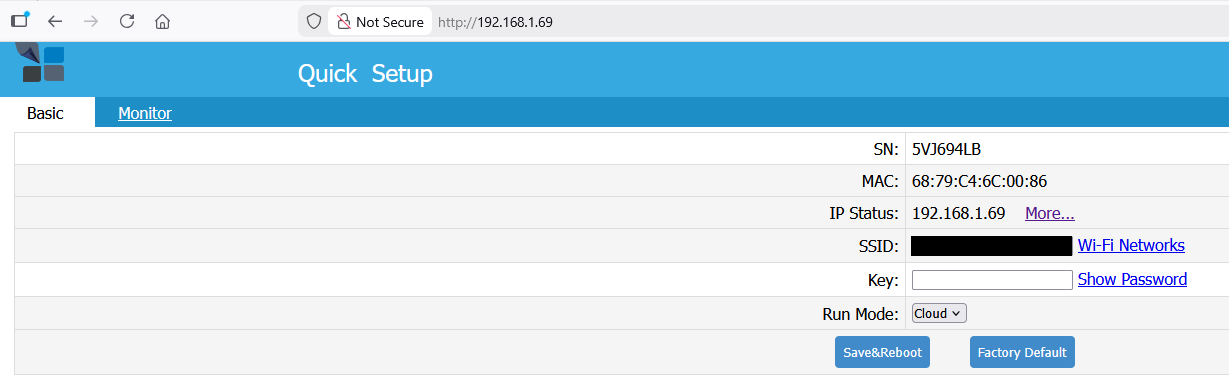
So for the last three single phase iammeters that I have purchased, they system tab does not appear when I use my browser to go to their web address (e.g, http://192.168.1.69:80). This is curious, because there is such a page for my first six units. But the two I installed just over a year ago and the one I have just installed only display two tabs on the local LAN, [Basic] and [Monitor]. See image below. It is also the case that my first six iammeters had a trivial login/pw to access them (the factory default) while the three newer ones require no such login -- you just go to their ip address.
I did what you said, and typed in the http://192.168.1.69/system.html and, I do get to the system page -- so it is there, but not normally displayed for these three WEM3080 units.
In answer to a previous question, I have tried different names for the device but it does not change the result.
I have only a limited understanding of HA logs, but here is what I find after I I have tried to add the WEM3080 to the Iammeter_http integration.
Logger: aiohttp.server
Source: /usr/local/lib/python3.13/site-packages/aiohttp/web_protocol.py:481
First occurred: 6:27:00 AM (1 occurrence)
Last logged: 6:27:00 AM
Error handling request from 192.168.1.175
Traceback (most recent call last):
File "/usr/local/lib/python3.13/site-packages/aiohttp/web_protocol.py", line 510, in _handle_request
resp = await request_handler(request)
^^^^^^^^^^^^^^^^^^^^^^^^^^^^^^
File "/usr/local/lib/python3.13/site-packages/aiohttp/web_app.py", line 569, in _handle
return await handler(request)
^^^^^^^^^^^^^^^^^^^^^^
File "/usr/local/lib/python3.13/site-packages/aiohttp/web_middlewares.py", line 117, in impl
return await handler(request)
^^^^^^^^^^^^^^^^^^^^^^
File "/usr/src/homeassistant/homeassistant/components/http/security_filter.py", line 92, in security_filter_middleware
return await handler(request)
^^^^^^^^^^^^^^^^^^^^^^
File "/usr/src/homeassistant/homeassistant/components/http/forwarded.py", line 87, in forwarded_middleware
return await handler(request)
^^^^^^^^^^^^^^^^^^^^^^
File "/usr/src/homeassistant/homeassistant/components/http/request_context.py", line 26, in request_context_middleware
return await handler(request)
^^^^^^^^^^^^^^^^^^^^^^
File "/usr/src/homeassistant/homeassistant/components/http/ban.py", line 86, in ban_middleware
return await handler(request)
^^^^^^^^^^^^^^^^^^^^^^
File "/usr/src/homeassistant/homeassistant/components/http/auth.py", line 242, in auth_middleware
return await handler(request)
^^^^^^^^^^^^^^^^^^^^^^
File "/usr/src/homeassistant/homeassistant/components/http/headers.py", line 41, in headers_middleware
response = await handler(request)
^^^^^^^^^^^^^^^^^^^^^^
File "/usr/src/homeassistant/homeassistant/helpers/http.py", line 73, in handle
result = await handler(request, **request.match_info)
^^^^^^^^^^^^^^^^^^^^^^^^^^^^^^^^^^^^^^^^^^^^
File "/usr/src/homeassistant/homeassistant/components/http/decorators.py", line 83, in with_admin
return await func(self, request, *args, **kwargs)
^^^^^^^^^^^^^^^^^^^^^^^^^^^^^^^^^^^^^^^^^^
File "/usr/src/homeassistant/homeassistant/components/config/config_entries.py", line 234, in post
return await super().post(request, flow_id)
^^^^^^^^^^^^^^^^^^^^^^^^^^^^^^^^^^^^
File "/usr/src/homeassistant/homeassistant/components/http/data_validator.py", line 74, in wrapper
return await method(view, request, data, *args, **kwargs)
^^^^^^^^^^^^^^^^^^^^^^^^^^^^^^^^^^^^^^^^^^^^^^^^^^
File "/usr/src/homeassistant/homeassistant/helpers/data_entry_flow.py", line 121, in post
result = await self._flow_mgr.async_configure(flow_id, data)
^^^^^^^^^^^^^^^^^^^^^^^^^^^^^^^^^^^^^^^^^^^^^^^^^^^
File "/usr/src/homeassistant/homeassistant/data_entry_flow.py", line 346, in async_configure
result = await self._async_configure(flow_id, user_input)
^^^^^^^^^^^^^^^^^^^^^^^^^^^^^^^^^^^^^^^^^^^^^^^^
File "/usr/src/homeassistant/homeassistant/data_entry_flow.py", line 393, in _async_configure
result = await self._async_handle_step(
^^^^^^^^^^^^^^^^^^^^^^^^^^^^^^
flow, cur_step["step_id"], user_input
^^^^^^^^^^^^^^^^^^^^^^^^^^^^^^^^^^^^^
)
^
File "/usr/src/homeassistant/homeassistant/data_entry_flow.py", line 493, in _async_handle_step
result: _FlowResultT = await getattr(flow, method)(user_input)
^^^^^^^^^^^^^^^^^^^^^^^^^^^^^^^^^^^^^^^
File "/config/custom_components/iammeter_http/config_flow.py", line 68, in async_step_user
if self._host_in_configuration_exists(name):
~~~~~~~~~~~~~~~~~~~~~~~~~~~~~~~~~~^^^^^^
File "/config/custom_components/iammeter_http/config_flow.py", line 42, in _host_in_configuration_exists
if name in iammeter_entries(self.hass):
~~~~~~~~~~~~~~~~^^^^^^^^^^^
File "/config/custom_components/iammeter_http/config_flow.py", line 25, in iammeter_entries
entry.data[CONF_NAME]
~~~~~~~~~~^^^^^^^^^^^
KeyError: 'name'
Thank you very much for providing the log, it’s really helpful.
This issue was caused by a compatibility problem with existing config entries created by an older version of the integration. In some cases, a required field was missing, which resulted in an unexpected error during setup.
I’ve released a new version v1.0.19 that fixes this issue.
Please upgrade to the latest version and check whether the problem is resolved.
That is fantastic! I upgraded to v.19 via HACS, re-loaded HA and went to the integration to add the new WEM3080 and -- it was already discovered waiting to be added. It is now added and appears to be connected to HA.
Thank you so much for your assistance. I continue to be so impressed with support from the Iammeter folks.
John
Great to hear everything is working well. Thank you very much for your kind feedback and support.